CoFriend Data Deletion Instructions
Last updated: June 30th, 2026
CoFriend is committed to giving you full control over your personal information. If you wish to delete your account and remove your data from our systems, please follow the instructions below. Note that you will be unable to log in to your account immediately. This action is permanent and cannot be undone.
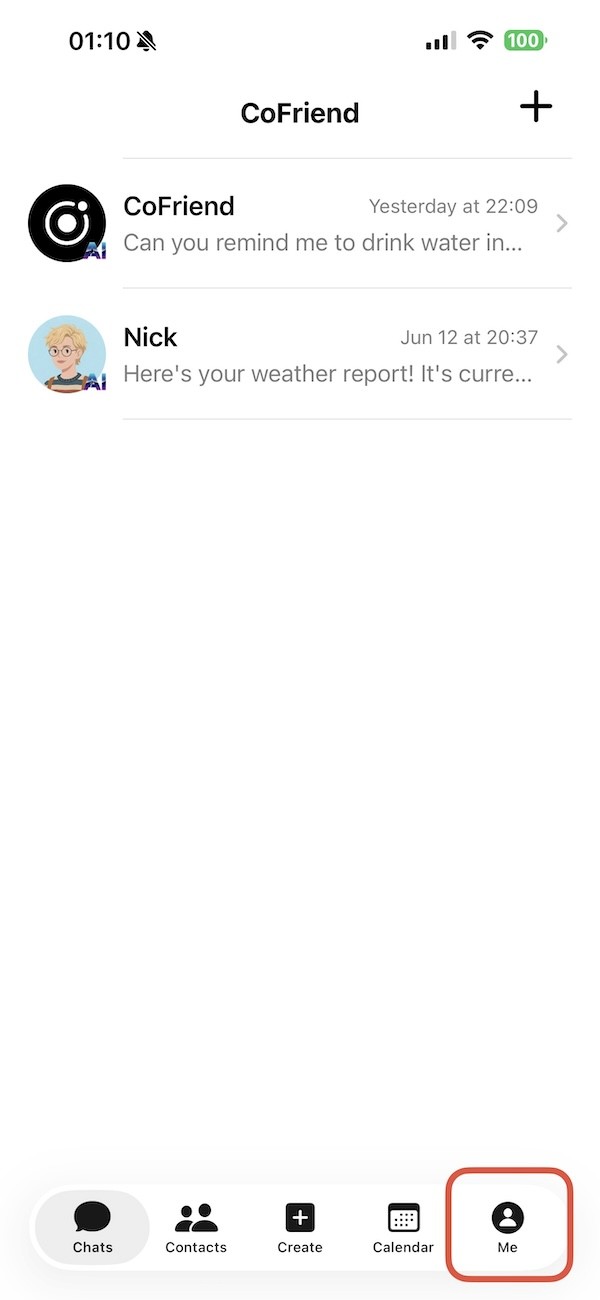
- Click the “Me” tab at the bottom right of the screen.
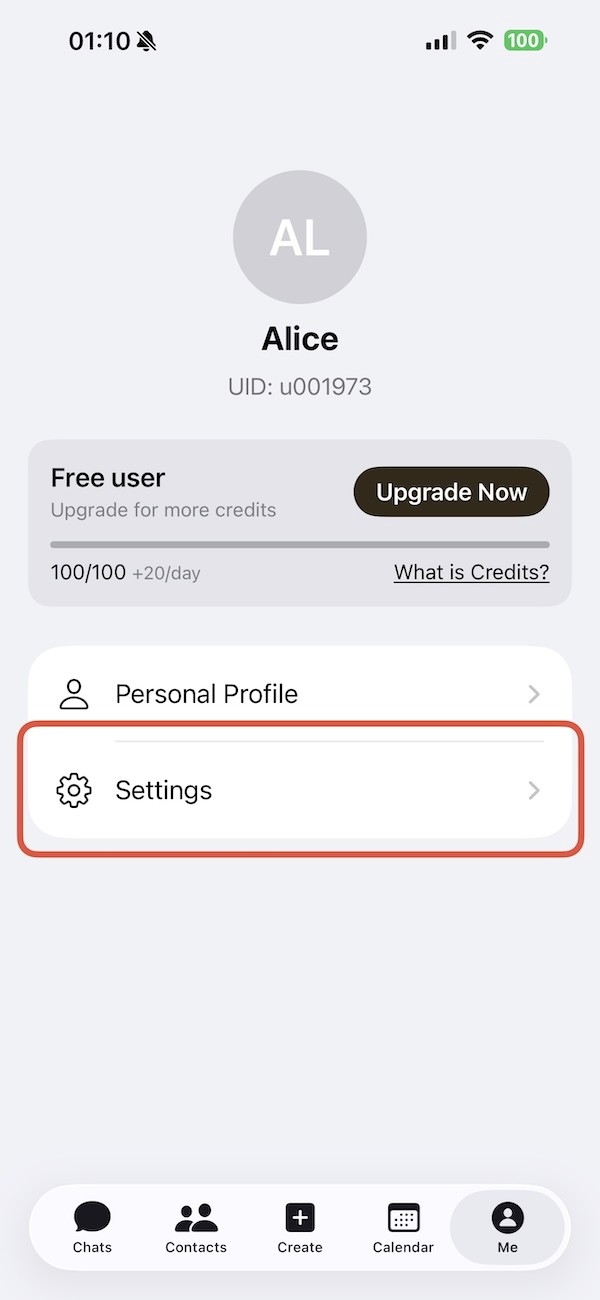
- Click Settings in the “Me” tab.
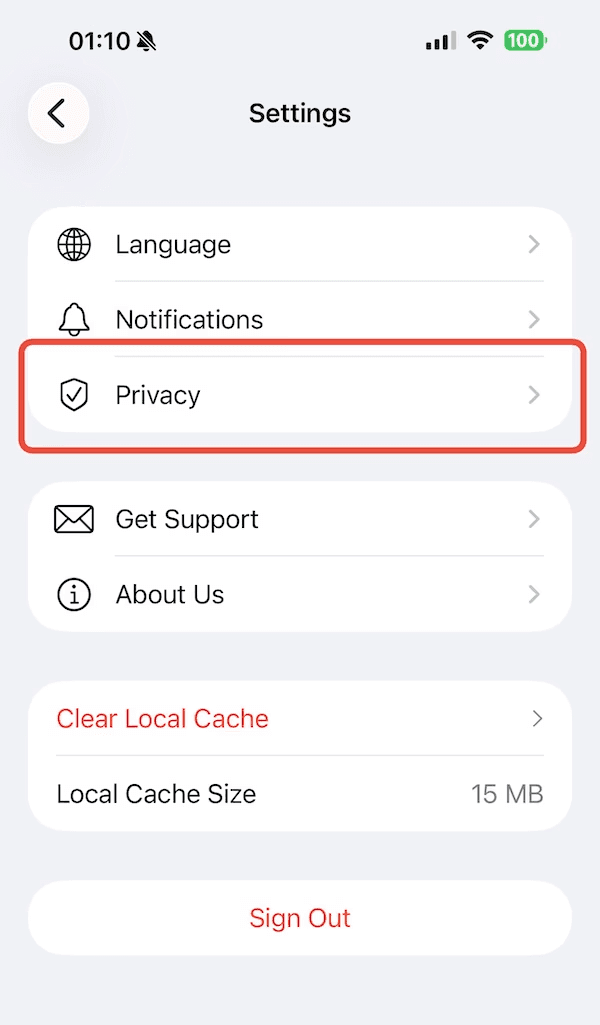
- Click “Privacy”.
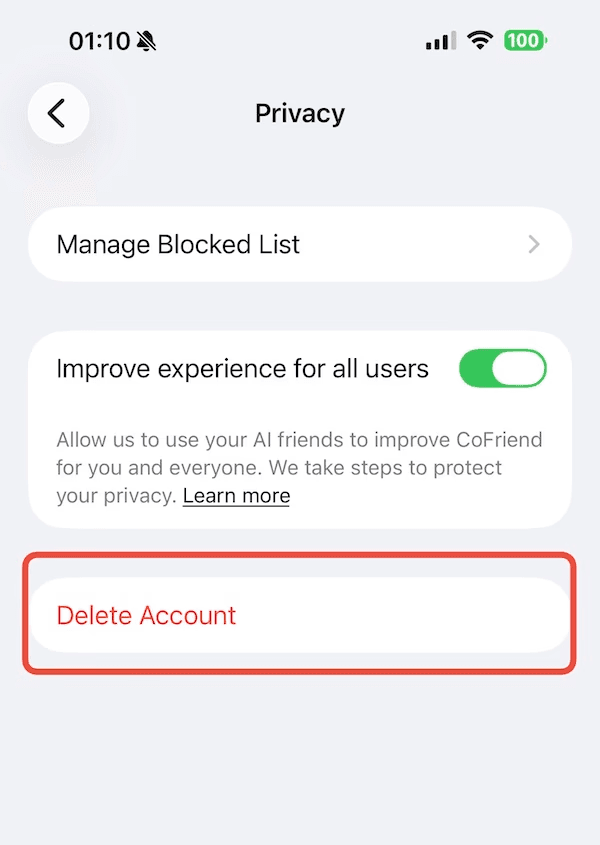
- Click “Delete Account” and confirm your action.
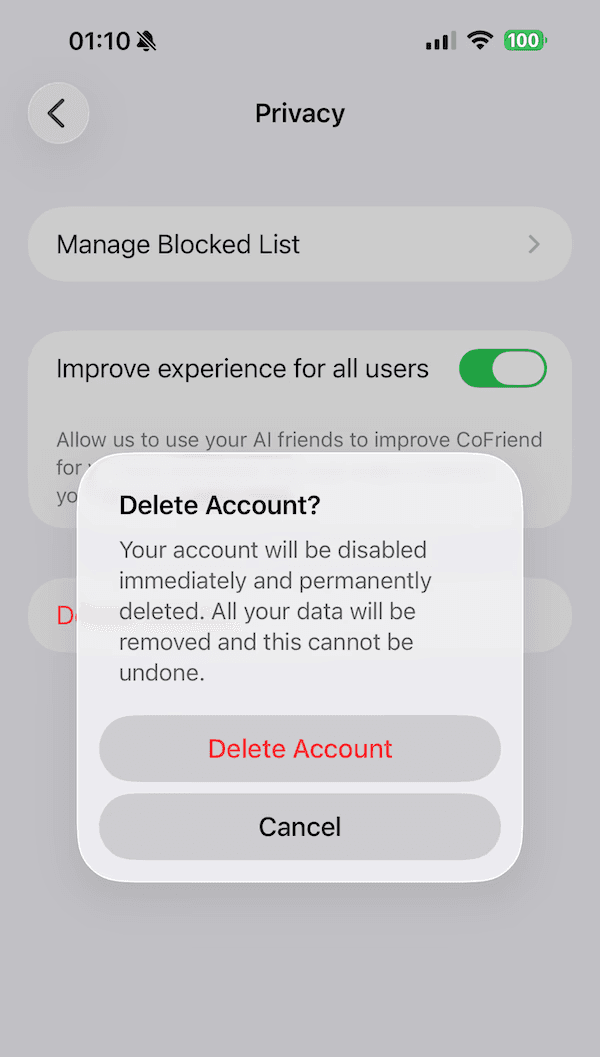
- You will be unable to log in immediately. We will completely delete your personal data from our servers within 14 days. However, we may archive chat messages for up to 60 days after deletion for legal and law enforcement purposes.